



SERVICES

PrestaShop upgrades and migration with pre-change testing

Prepare your store’s next stage with catalogue, data, modules and URLs in one plan. We assess compatibility and validate operation before moving to production.

Assess my PrestaShop store upgrade ↗

For stores updating their version, renewing components or changing structure while considering data, operations and organic visibility.

Business owner and consultant reviewing their work together on a laptop.
Illustrative image

About the platform

PrestaShop: flexibility for your online store.

PrestaShop is an open-source ecommerce platform for managing products, orders and customers. Modules and custom development let you adapt the store to your business, while hosting and ongoing technical maintenance need to be planned.

When it may suit your business

Stores that need flexible catalogues, specific trading rules and integrations, with technical support to keep day-to-day operations running.

How RedeShop can help

We provide technical support, updates and module assistance, and improve catalogue organisation and SEO after assessing compatibility and project priorities.

Assess an upgrade against the real store

The starting version is only part of the decision. Theme, modules, customisations and integrations determine the work required. An initial inventory helps choose the approach and identify adaptations, licences and external components before setting the implementation plan.

Prepare and validate a test copy

We work in a separate version to check catalogue, combinations, customers and orders, alongside payment and shipping flows. Tests use representative operational scenarios. Differences found are fixed or documented before preparing publication.

Preserve important pages and journeys

Categories and products may have accumulated links and search demand. We inventory URLs and plan preservation or redirects to appropriate equivalents. We review navigation, canonicals, sitemaps and languages in affected journeys, coordinating the technical change with SEO.

Prepare this stage with our PrestaShop migration and SEO checklist. It brings together URL, redirect, catalogue and order checks to help define what to validate before and after deployment.

Coordinate the switchover and check continuity

The upgrade concludes with final synchronisation, backups and an agreed change window. After publication, we check critical flows and monitor initial operation. RedeShop documents the work and recommendations for maintaining the new version.
Known dependencies

We inventory the theme, modules and customisations before defining the solution.

Tested operations

We validate the catalogue and buying journeys in a prepared test version.

A planned change

We organise synchronisation, publication and subsequent checks.

Inventory and compatibility

Version, components, customisations and integrations to consider.

Upgrade plan

Approach, adaptations, responsibilities and sequence of work.

Validated version

A test copy covering agreed scenarios and components.

Switchover plan

Synchronisation, backups, publication and continuity checks.

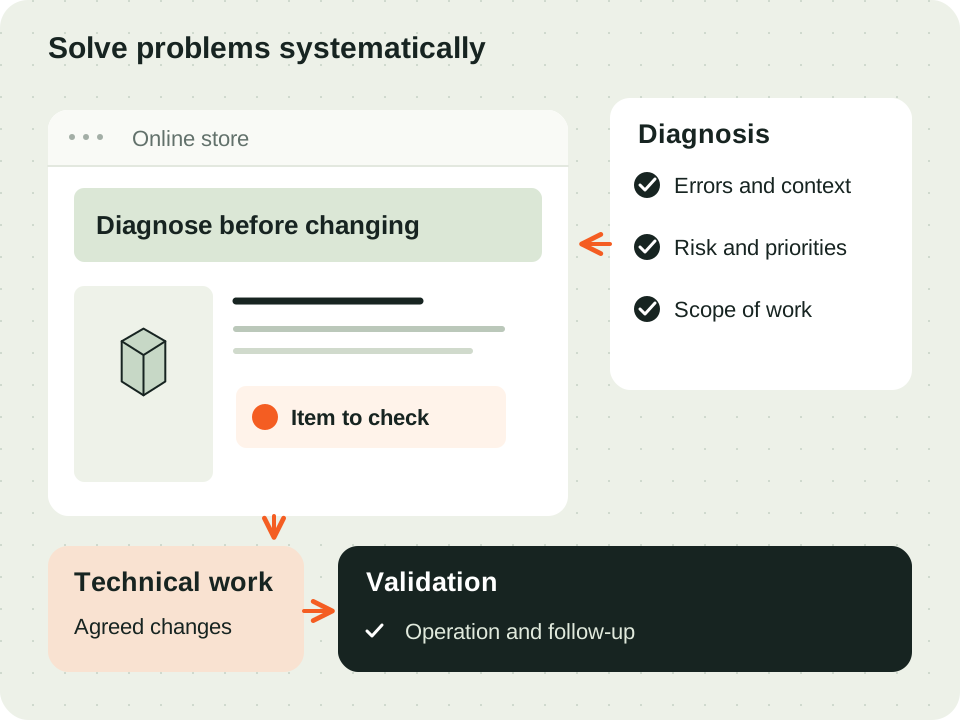
Inventory, staging, validation and switchover: a change prepared in stages.
RedeShop editorial illustration · Inventory, staging, validation and switchover: a change prepared in stages.
  1. 01

    Assess the current store

    We identify components, data and source-version limitations.

  2. 02

    Prepare the new version

    We build the test solution and adapt required elements.

  3. 03

    Validate data and flows

    We check catalogue, orders, payments, shipping and relevant URLs.

  4. 04

    Coordinate the switchover

    We agree the window, synchronise data and monitor publication.

Is a direct upgrade always possible?

The approach depends on version, theme, modules and customisations. Assessment distinguishes a direct upgrade from a rebuild or broader migration.

Can the existing theme and modules be used?

We check compatibility and support for the target version. Components needing adaptation or replacement are identified before implementation.

What happens to URLs and SEO?

We inventory relevant pages and plan to preserve addresses or create direct mappings. After the change, we validate links and technical signals in covered areas.

How is store downtime planned?

The proposal defines final synchronisation and the switchover window according to operations. Backups, checks and rollback capability form part of that planning.

Talk to the team

Assess my PrestaShop store upgrade ↗

RedeShop assistant

AI to help with your enquiry

How can we help your business?

Virtual AI assistant to answer questions and guide your enquiry. The RedeShop team validates the proposal and supports the next steps.

Privacy policy ↗

You can also request contact without using AI.

Privacy policy