


SEO / ECOMMERCE

Ecommerce SEO: catalogue, content and technical fixes

Your products exist, but categories, filters and information may not help people find them. We work on PrestaShop and WooCommerce SEO with concrete tasks for the catalogue and its management team.

Request an SEO plan for my store ↗

You manage a PrestaShop or WooCommerce store and need to organise categories, improve product information or fix settings limiting catalogue discovery.

Shop owner managing her online store on a laptop, with products and parcels in her workspace.
Illustrative image
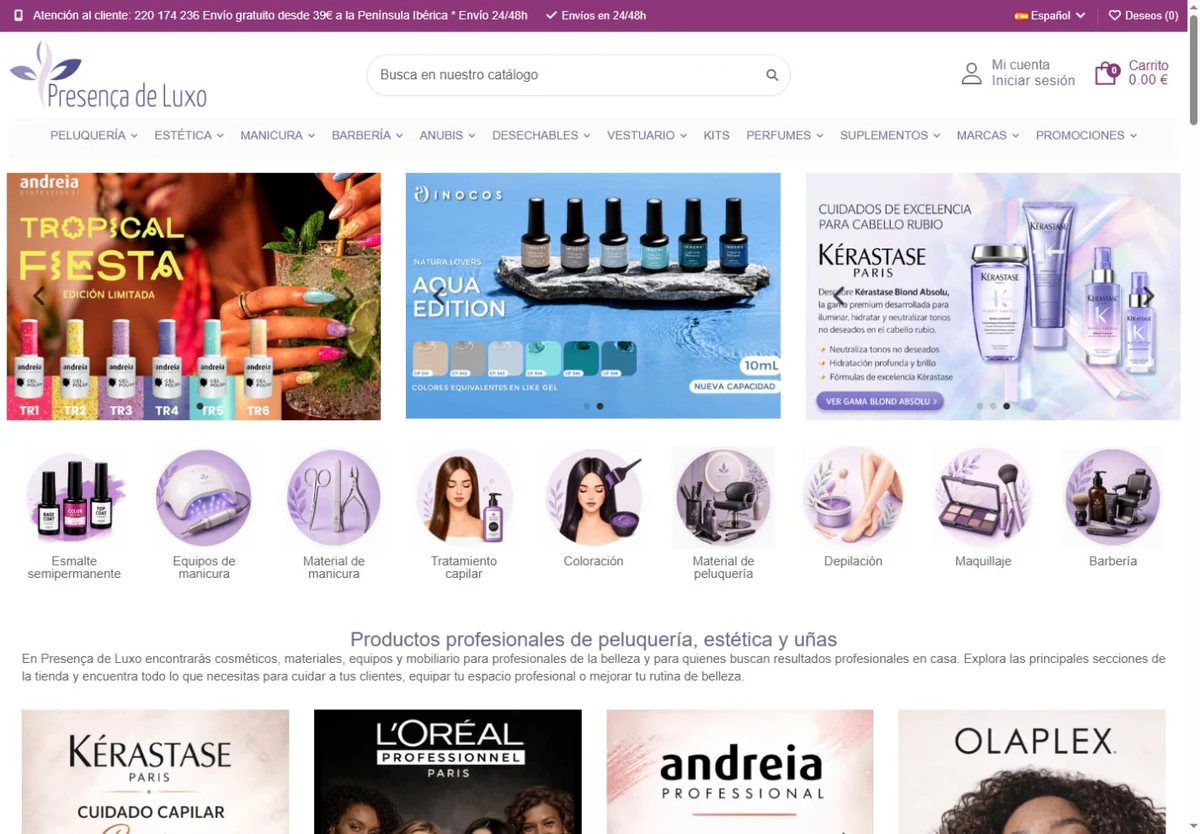
Actual presencadeluxo.es homepage with Spanish navigation and professional beauty categories

Projects

Presença de Luxo: an online store ready to grow in Spain. ↗

Expansion into the Spanish market with PrestaShop, localised content and a catalogue architecture designed for SEO and easier product discovery.

When products exist but are hard to discover

Unclear categories, incomplete descriptions and repetitive filter combinations can make a catalogue difficult to explore. We start by understanding which pages attract search demand, which present the offering and where context is lost. Diagnosis connects search to store operations.

Category, brand and product architecture

We organise catalogue hierarchy, navigation and links between related pages. Categories help select product families; product pages explain features, variants and applications. We seek a clear purpose for each page, avoiding content competing for the same need.

Our ecommerce SEO strategy guide for categories and products explains how to organise this work. Use it to connect search intent, product information and internal links before selecting priority pages.

Filters and technical settings under control

We assess filter URLs, indexing signals, pagination, languages and structured data. Decisions consider search demand and theme and module operation. Fixes are validated on a sample before extending across the catalogue.

Select an initial set of pages

Work can start with a product family, categories with search demand or a combination of technical issues. We define a sample and task sequence the team can implement. The plan separates research and diagnosis, content writing or review and store changes.

One-off fixes or ongoing catalogue support

An intervention can address a defined structural, filter or content requirement. Ongoing support allows reviews of launches, stock changes, categories and new buying questions. RedeShop adapts the plan to the catalogue and available product information, recording completed work and outstanding validation.

Explore the Presença de Luxo project to see a PrestaShop catalogue, categories and navigation. The PrestaShop filter guide also provides a starting point for questions about your store.
Categories do not match how customers choose

We connect navigation to product families, attributes and actual buying requirements.

Filters generate repetitive pages or lack context

We assess generated combinations and define each page type’s role.

Useful data for distinguishing products is missing

We plan attributes and content from confirmed catalogue information.

Catalogue assessment

An assessment of structure, product groups and landing pages.

Priorities by page type

Recommendations for categories, products, brands and filter navigation.

Technical and editorial tasks

Specific changes, responsibilities and validation methods.

Progress review

Observations on improved pages and next adjustments.

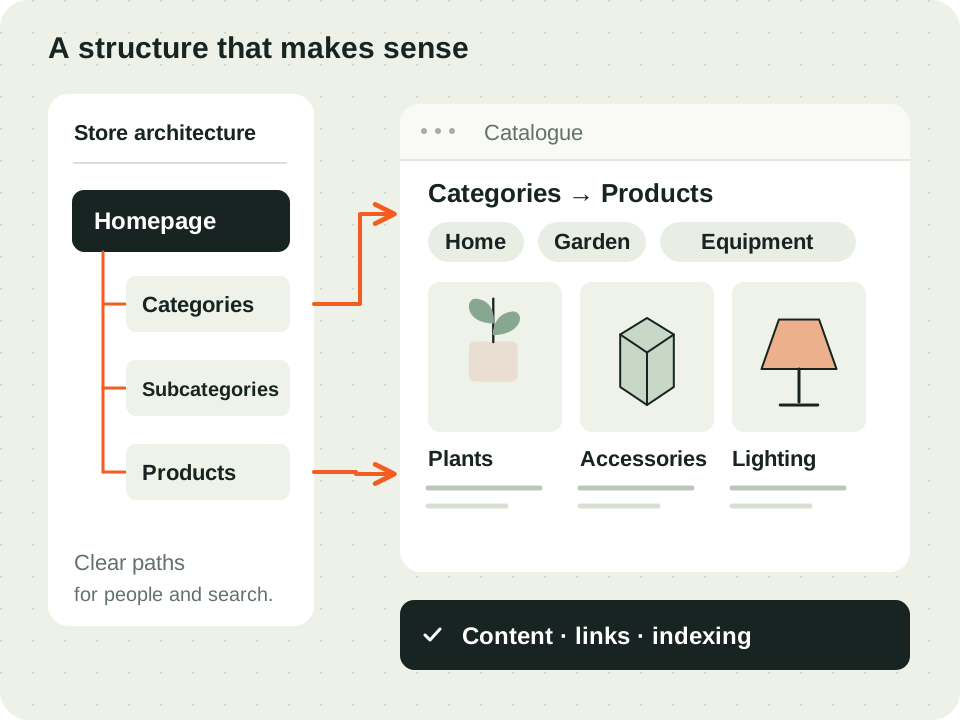
An example of catalogue organisation: categories, attributes and products with distinct roles.
RedeShop editorial illustration · An example of catalogue organisation: categories, attributes and products with distinct roles.
  1. 01

    Understand the store

    We collect catalogue, markets, relevant margins and commercial objectives.

  2. 02

    Diagnose the structure

    We connect search, navigation and catalogue technical operation.

  3. 03

    Improve by priority

    We work on agreed pages and settings, validating affected journeys.

  4. 04

    Monitor and adjust

    We review page discovery and available commercial indicators.

Does every product need rewriting?

We start with priority pages and the quality of existing data. Categories, attributes or a product group may be more useful to address than rewriting the whole catalogue.

Can you fix PrestaShop filters?

We assess the module’s generated URLs and navigation. The intervention and settings to test depend on version, theme and store structure.

Can I commission diagnosis alone?

Yes. Diagnosis can deliver priorities for your team. Writing, publication and technical fixes are identified in an implementation proposal.

Does ongoing support include Merchant Center?

The organic catalogue and product feed are related but require distinct checks. The proposal identifies Merchant Center diagnosis or fixes included and each area’s tasks.

Talk to the team

Request an SEO plan for my store ↗

RedeShop assistant

AI to help with your enquiry

How can we help your business?

Virtual AI assistant to answer questions and guide your enquiry. The RedeShop team validates the proposal and supports the next steps.

Privacy policy ↗

You can also request contact without using AI.

Privacy policy